How to Use Our Number Plate Maker
Number Plate Maker: Design Your Plates Online
Our number plate maker lets you design your plates on screen and see exactly how they will look before you order anything. Enter your registration, pick a style, and the preview updates as you type. Every road legal plate is made to BS AU 145e in our own Bradford workshop, prices start from £15, and orders placed before 2pm are dispatched the same working day.
If you already know which finish you want, you can go straight to Standard, 3D Gel, 4D, 5D Gel or Black Diamond. If you are not sure yet, the sections below walk through every choice the builder asks you to make.
How our number plate maker works, step by step
Most people get from a blank screen to a finished order in under five minutes. There are five steps.
Step 1: enter your registration in the number plate maker
Type the registration exactly as it appears on your V5C logbook. Watch for the characters people most often get wrong: the number 0 against the letter O, and the number 1 against the letter I. The builder prints precisely what you type, so a typo here becomes a typo on the finished plate.
If you are having a private registration put onto physical plates, wait until the DVLA has confirmed the assignment before you order. Our guide to transferring a private number plate explains the sequence, and the private number plates page covers what we need from you.
Step 2: pick your plate style in the number plate maker
Seven finishes, from a flat printed plate through to faceted diamond cut characters. The preview redraws each time you switch, so you can flick between them and see the difference rather than guessing from a description. There is a full breakdown further down this page.
Step 3: choose road legal or show spacing
This is the single most important choice in the builder and the one that catches people out. Road legal spacing follows the fixed measurements set out in law. Show spacing lets you lay the characters out however you like, but the result is for display only and must never be fitted to a car driven on a public road. The builder keeps the two clearly separated so you always know which one you are ordering.
Step 4: add a badge, border and bottom text
Choose a side badge, a border colour, and on show plates a line of bottom text. The builder flags which badges are safe on a road legal plate and which are display only, so you cannot accidentally make a road plate non-compliant by adding the wrong crest.
Step 5: check the preview and add to basket
The preview is built to be an accurate representation of the finished plate, character by character and font by font, rather than a rough mock-up. Read the registration back one character at a time before you add to basket. Once a plate has been made we cannot resell it, because it carries your registration and nobody else's.
What you can change in the number plate maker
- Plate style. Seven finishes, covered in full below.
- Font. The standard road legal typeface, or one of our display fonts for show plates.
- Badge. National flags, electric vehicle badges, manufacturer style logos, club crests and novelty designs. See colour badged number plates for the full range.
- Border. None, black, red or grey.
- Bottom text. Show plates only.
- Quantity. Front only, rear only, or a pair.
One thing you cannot change is the size. Every plate we make is the standard UK oblong, 520mm by 111mm, for both front and rear. We do not make short, square or reduced size plates in any finish.
Choosing a plate style in the number plate maker
All seven styles are road legal when built in the standard configuration, using the correct typeface and correct spacing. The difference between them is how the characters are made and how they catch the light, not whether they are legal.
| Style | How the characters are made | Best for |
|---|---|---|
| Standard | Flat printed characters on reflective material | Daily drivers, work vehicles, anyone replacing a faded or cracked plate |
| 3D Gel | A domed gel resin over a printed character, roughly 1 to 2mm proud | A subtle lift over standard, the most popular first upgrade |
| 4D 3mm | Laser cut 3mm acrylic characters bonded to the plate | A clean, modern raised look without going to full depth |
| 4D 5mm | Laser cut 5mm acrylic, a deeper shadow line | Drivers who want the raised look to be obvious |
| 4D Gel 3mm | 3mm acrylic with a gel dome over the top | Depth and gloss together, the most photographed finish we make |
| 5D Gel 5mm | 5mm acrylic with a crystal clear gel dome | Our flagship finish, for maximum visual impact |
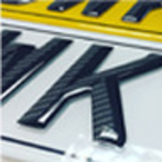
| Black Diamond | Faceted diamond cut characters in solid black acrylic | A sparkling, cut glass look that no gel finish reproduces |
If you are torn between the two most common upgrades, our comparison of 3D and 4D number plates goes through the trade-offs honestly, including which one holds up better to frequent washing. The gel number plates hub covers the three gel finishes side by side. If your car is black, white or silver, this guide to matching finish to paint colour is worth two minutes before you decide.
Road legal or show spacing: the choice the number plate maker asks you to make
A plate is road legal because of its measurements, not its finish. The law fixes the character height at 79mm, the width at 50mm for every character except the number 1 and the letter I, the stroke width at 14mm, the gap between characters at 11mm, the gap between the two character groups at 33mm, and the margins at 11mm. Front plates are black on white, rear plates black on yellow, both retroreflective, with the supplier name, postcode and the BS AU 145e mark printed below the characters.
Build inside those numbers and the plate is road legal in any of our seven finishes. Step outside them and it becomes a show plate. Our compliance guide sets out the full specification, and the article on number plate spacing rules explains why respacing a registration to spell a word is treated so seriously. You can also read the rules directly on gov.uk.
Show plates are perfectly legal to own and to display off the public road, at shows, on private land or for photography. Fitting one to a car being driven on the road is the offence. Our show plates page covers what we can and cannot make, and the article on what you cannot do with a show plate is worth reading before you order one.
What our number plate maker will not let you do
Worth saying plainly, because it saves a conversation later. On a road legal build, the number plate maker will not let you:
- Respace your registration to spell something. The gaps are fixed in law. Closing or widening them can fail an MOT and in serious cases the DVLA can withdraw the registration.
- Tint, shade or two-tone the characters. Characters must be a single solid black. A raised or domed character is fine, because that is dimension rather than colour.
- Use a display font. Only the standard typeface is permitted on a road plate. Our guide to number plate font rules explains which is which.
- Add a novelty badge. Only specific permitted identifiers belong on a road legal plate.
- Order a non-standard size. We make one size, 520mm by 111mm.
We also do not sell registrations. We make the physical plates. If you are looking to buy or transfer a registration itself, our DVLA number plates page explains where that sits and where we pick up.
Number plate maker prices, and what each style costs
Prices start from £15 for a single plate. Pair pricing is shown in the builder as soon as you select a style, with no extras added at checkout.
Delivery is free by Royal Mail Tracked24 on orders over £30, which covers almost every pair. Below that, Express and Economy options are shown at checkout. Full detail is on the delivery and returns page.
Documents you need after using the number plate maker
For a road legal plate we need proof of who you are and proof that the registration is yours. Our checkout does not ask you to upload anything, which catches some people out, so to be clear: place your order first, then email your documents to docs@legalshowplates.com and we will put your plates into production.
What to send:
- Proof of identity. A photocard driving licence, or a recent utility bill.
- Proof of entitlement. Your V5C logbook, or a V5C/2 new keeper supplement. For a private registration, a V750 certificate of entitlement, a V778 retention document, or a valid eV948.
Show plates for off road use need no documents at all. The checks exist to make it harder for cloned and stolen plates to be produced, which protects you as much as anyone else on the road. The FAQ page answers the document questions we get asked most.
What happens after you order through the number plate maker
Orders placed before 2pm on a working day, with documents received, are dispatched the same day. Our Express service goes out by Royal Mail Tracked24 and usually arrives the next working day, though we would suggest allowing 1 to 2 working days. Economy usually takes 3 to 5 working days.
If anything arrives damaged or wrong, photograph it and email us. We will remake it and send the replacement out on our express 1 to 2 day service. Because every plate is made to your registration and cannot be resold, we cannot accept a return simply for a change of mind.
When your plates land, the fitting guide covers pads, screws and holders, including why pads fail in cold weather. Our article on cleaning and maintaining plates properly is worth a look if you have gone for a raised or gel finish, and what to do if a plate falls off or gets damaged covers the awkward situations.
Common mistakes people make in the number plate maker
- Mistyping the registration. Zero against letter O is the usual culprit. Read it back before you add to basket.
- Ordering one plate when the car needs two. The builder defaults sensibly, but it is worth a glance at the quantity.
- Choosing a display font for a road car. It looks good in the preview and is not legal on the road.
- Forgetting to email documents. Nothing goes into production until they arrive, so this is the most common cause of a slow order.
- Ordering before a private plate transfer completes. Wait for the DVLA confirmation.
- Assuming a lease car can be restyled freely. Check first. Our guide on restyling plates on a lease or PCP car explains where the limits sit.
There is more in the five mistakes people make when ordering number plates and in how to design your number plate online without getting it wrong.
Why use our number plate maker
- You design before you commit. The registration field sits on the first screen, so you can see your plate rendered before you have given us anything.
- The preview is accurate. It is built to represent the finished plate closely, not to flatter it.
- Road legal and show builds stay separate. You always know which one you are ordering, and the builder flags choices that would take a road plate outside the rules.
- Made where we say. Cut, printed and finished in our own workshop in Bradford, checked against the BS AU 145e measurements before boxing.
- Honest about fit. Our style pages tell you who each finish is wrong for, not just who it suits. See the reviews page for what customers actually say, or about us for how we work.
- Free tracked delivery over £30. Which covers virtually every pair.
If you are weighing up suppliers generally, how to choose a number plate maker without wasting money twice sets out what to check, whoever you end up buying from.
Number plate maker FAQs
Q: Are plates from your number plate maker road legal?
Yes, when built in the standard configuration. All seven finishes are road legal with the correct typeface and correct spacing, made to BS AU 145e. Anything built in show spacing or with a display font is for off road display only, and the builder makes that distinction clear as you go. More detail on the road legal number plates page.
Q: Can I see my plate before I order it?
Yes. The preview updates as you type and reflects your chosen style, badge and border. Most customers order straight from it.
Q: What size plates does the number plate maker produce?
One size, the standard UK oblong at 520mm by 111mm, front and rear. We do not make short, square or reduced size plates.
Q: Do I need documents to use the number plate maker?
Not to design a plate. To have a road legal plate made, yes. Order first, then email proof of identity and proof of entitlement to docs@legalshowplates.com. Show plates need no documents.
Q: Will a 3D or 4D plate from the builder read on ANPR cameras?
Yes. Cameras read the contrast between dark characters and a light retroreflective background, along with correct spacing, not the depth of the character. Our article on whether ANPR can read 4D plates goes into the detail.
Q: Can I order a road legal plate and a show plate together?
Yes. They are configured, priced and labelled separately in the builder, so there is no confusion at checkout.
Q: Can I add a green flash for an electric car?
Yes, if the vehicle is genuinely zero emission. Hybrids do not qualify. See everything you need to know about green number plates.
Q: How quickly will my plates arrive?
Orders placed before 2pm with documents received are dispatched the same working day. Express usually arrives next working day, allow 1 to 2 to be safe. Economy usually takes 3 to 5 working days.
Start building your plates
Enter your registration at the top of this page to begin. If you would rather talk it through first, get in touch and we will help you pick the right build. You can also browse finished work in the gallery, or read the full number plate FAQs before you order.